


Makeup Tutorial & Beauty Tips
4.526.00 Reviews
App Specs
- Version
- 3.0.592
- Updated On
- License
- Free
- Downloads
- 500,000+
- Developer
- Rstream Labs
- Categories
- Beauty
- Platform
- Android
Screenshots
 Analysis by AppCompare
I’d start using a makeup-learning app with one practical question: what do I want to do differently the next time I stand in front of the mirror? For me, that might be making base makeup look less heavy or finally getting both eyeshadow wings to match. Makeup Tutorial & Beauty Tips is aimed at turning those small goals into guided practice, rather than leaving me to sift through an endless stream of beauty videos.
Start with a look you can actually use
The app makes the most sense when I approach it with a real occasion or routine in mind. If I have ten minutes before work, I’m not looking for a complicated evening look; I want a technique I can repeat with products already in my bag. For a dinner or event, I can spend more time exploring a bolder style. Choosing that goal first makes browsing feel less like collecting inspiration and more like preparing to do something.
That distinction matters because beauty content can easily become aspirational without being useful. A dramatic look may be fun to watch but not practical for my schedule, comfort level, or current skills. I’d treat each tutorial as a suggestion to adapt, not a strict recipe: pause to consider whether the steps suit my face, the tools I own, and the time I have. The most helpful result is a technique I can make my own.
Discovering the World of Beauty
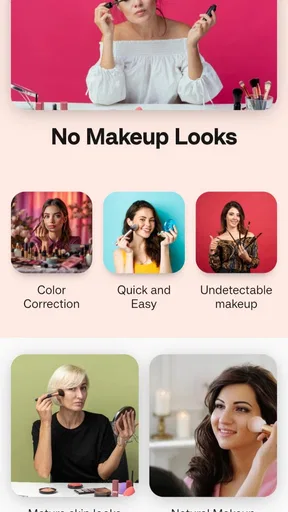
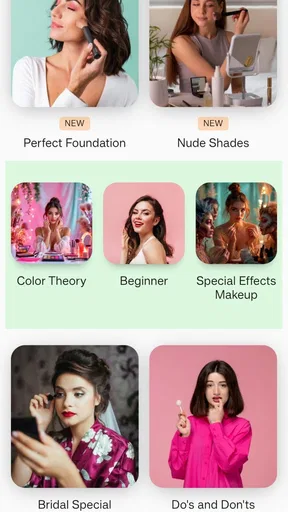
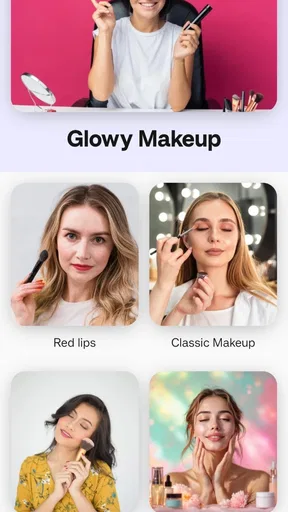
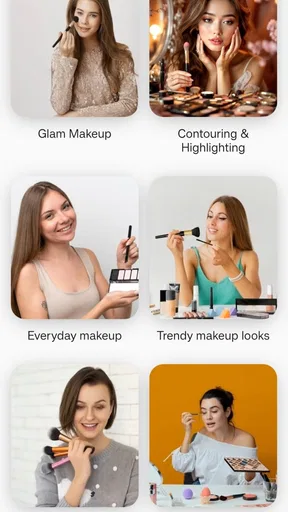
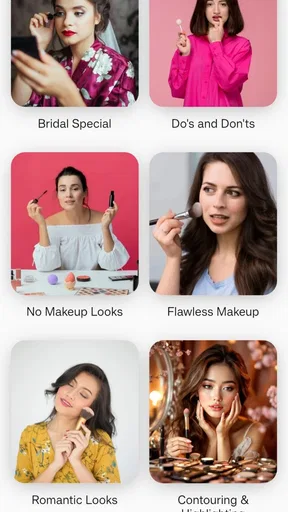
First off, this app is an absolute treasure trove for beauty enthusiasts. Whether you're a makeup newbie or a seasoned pro, Makeup Tutorial & Beauty Tips offers a wide range of tutorials that cater to all skill levels. From basic foundation application to advanced eye shadow blending, it’s got you covered.
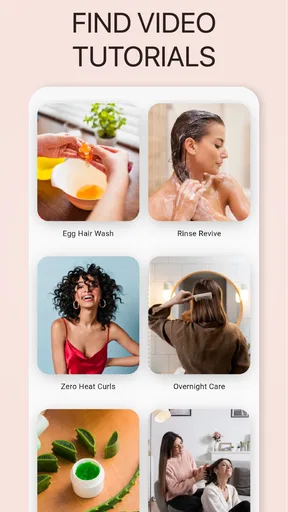
What I love is the variety of looks you can explore. Fancy a dramatic smokey eye for a night out? Or maybe you're more into a natural, everyday glow? Just open the app, and you'll find step-by-step guides that are super easy to follow. The instructions are clear, and the videos are high-quality, making it feel like a one-on-one session with your favorite beauty guru.
Turn browsing into a repeatable routine
A useful way to work through a step-by-step lesson is to watch it once before touching any products. I can note the order of the steps, then gather brushes and makeup before starting, instead of reaching for something with one hand while trying to follow along with the other. On a second pass, I can focus on one unfamiliar action at a time. That small change helps me tell whether I’m struggling with the technique or simply trying to follow too quickly.
For a realistic weekday example, imagine I want to improve how I blend eyeshadow before getting ready for a night out. I’d look for a suitable lesson, watch the sequence first, and practise the blending motion on one eye before repeating it on the other. If the finish looks uneven, I can revisit the relevant part rather than restarting the whole routine. The point is not to copy a creator’s face exactly; it’s to learn a movement or order of application that I can use again.
Worth Reading Before You Choose

EA SPORTS FC Mobile 26 Is a Bigger Football Game, but It Takes Time

Flipboard Shows What News Apps Must Do Beyond the Feed

Switching to Android Auto Means Rethinking Your Driving Routine

Google Calendar Makes a Crowded Week Easier to Manage

Ludo King Makes the Most of the Minutes Between Plans

Baby Panda World Brings Quick Play to Modern Phones, but Its Game Library Feels Busy
It also helps to keep expectations grounded. A tutorial can demonstrate technique, but it cannot choose the right product for every person or guarantee that a look will turn out identically. Lighting, tools, product texture, and individual features all affect the result. I get more value by treating a lesson as a starting point and adjusting as I go than by assuming every instruction will transfer perfectly to my own makeup bag.
Features That Shine
Now, let's talk features. One of the standout elements is the personalized recommendations. The app gets to know your preferences and suggests tutorials that match your style. It's like Netflix for makeup! Plus, there’s a handy search feature, so if you’re in the mood to try something specific, you can find it in a jiffy.
Search is especially useful when I already know the problem I want to solve. Instead of browsing broad looks, I can begin with a specific technique or occasion and narrow my attention to a tutorial that seems relevant. I’d still check that the lesson’s level and style suit me before committing to it. A search result can point me in the right direction, but I need to decide whether its approach fits the products and time I have available.
Personalized suggestions can make discovery easier once I’ve built up a sense of what I enjoy, but they’re not a substitute for deliberate browsing. If I only follow recommendations, I may keep seeing variations on the same look. I’d occasionally search beyond my usual preferences—perhaps for a simpler base routine or a technique I’ve avoided—to make the app a learning aid rather than just another source of familiar beauty inspiration.
Another cool feature is the virtual try-on tool. It uses augmented reality to let you see how different makeup looks on you before you even pick up a brush. It's not just a gimmick; it's genuinely useful for deciding which shades work best with your skin tone.
I’d use virtual try-on as a quick way to compare ideas, not as a final verdict on how makeup will appear in person. A digital preview can help me rule out a look that feels far from my taste or decide which direction to practise, but real products have texture and finish that a screen cannot fully reproduce. The practical handoff is from preview to a small, real-world test: try the general colour idea with what I own, then judge it in the lighting where I’ll actually wear it.
From inspiration to the finished look
The app’s broader beauty content can help when I’m not sure what to try next, while tutorials give me a route from idea to application. I find that distinction useful: inspiration helps me choose a direction, and a guided lesson gives me something concrete to practise. Once I’ve finished, I can decide which steps made a visible difference and which felt unnecessary for my routine. That reflection turns a single session into something I can build on instead of starting from scratch every time.
For a beginner, the best outcome may be a more confident grasp of basic application, not a flawless transformation. Someone with more experience might use the lessons to explore a different eye look or refresh a familiar routine. Either way, I’d measure success by whether I can repeat a useful part later, not whether I match a video frame for frame.
Community and Inspiration
The app doesn’t stop at tutorials. It also boasts a vibrant community of beauty lovers. You can share your own looks, get feedback, and even enter fun challenges. It’s a great way to get inspired and learn from others.
Sharing makes most sense after I’ve tried a technique and have a specific question, such as whether the balance of a look feels right. Feedback can offer another perspective, but beauty advice is personal, so I’d take suggestions as ideas rather than rules. If I prefer to practise privately, I can still use the tutorial side without making community participation the centre of the experience.
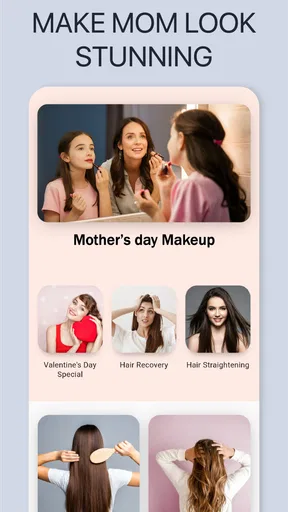
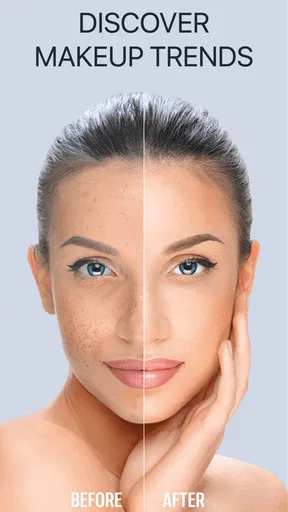
The app also keeps you updated with the latest beauty trends. Whether it’s the newest lipstick shade or a viral TikTok hack, you’ll find it here. It's like having a beauty magazine that updates in real-time.
Trend coverage is useful for finding new directions, but I wouldn’t let a fast-moving look dictate what belongs in my routine. A viral technique may be entertaining to try and still be awkward for everyday wear. I’d ask whether it works with the products I already have, suits the occasion, and feels comfortable on me. That quick check prevents inspiration from turning into a shopping list or a rushed experiment just before an event.
How it fits beside other beauty resources
Compared with searching video platforms, a dedicated tutorial app can feel more focused: I can go in looking for makeup instruction rather than wading through unrelated recommendations. A general video feed may offer a wider range of creators and perspectives, while this app’s appeal is having beauty lessons and related discovery together. Neither approach is automatically better. If I want a particular creator’s detailed explanation or a broad range of independent opinions, general video search may be the stronger choice; if I want a guided place to explore techniques, this app is a sensible starting point.
It also occupies a different role from a beauty community or a product-shopping app. The community element can add inspiration and feedback, but I wouldn’t treat social responses as professional advice. And while a preview can help me imagine a look, it isn’t the same as trying a real product in person. I’d use the app to learn and shortlist ideas, then rely on my own products and judgement to make the final call.
Easy Navigation and User-Friendly Design
One thing I really appreciate is the app's user-friendly design. The interface is clean and intuitive, making it easy to navigate through the endless array of tutorials and tips. Even if you’re not tech-savvy, you’ll find everything you need without a hitch.
Loading times are minimal, and the app runs smoothly, which is crucial when you're following along with a tutorial and have makeup brushes in hand. Plus, the layout is aesthetically pleasing, which just adds to the overall enjoyment of using the app.
In practical use, a smooth browsing experience matters most before I begin applying makeup. Once my hands are occupied, I want to have chosen a lesson and understood its sequence already. I’d set my phone somewhere visible, keep the products I plan to use within reach, and avoid turning the session into constant searching. This is a simple workflow, but it makes a tutorial easier to follow and reduces the chance that I’ll lose my place halfway through a look.
Where the routine can fall short
Guided lessons still depend on the viewer translating what they see into their own hands. A step that looks obvious on screen can be hard to reproduce without the same brush, product consistency, or practice. When I hit that gap, I’d simplify the look and focus on the underlying skill rather than adding more products or trying to force the exact finish. That is a more useful response than assuming the lesson has failed.
The app is also not the right answer for every beauty question. If I need advice tailored to a specific skin concern, a precise product match, or a professional’s individual assessment, general tutorials and community opinions may not be enough. In those situations, a qualified specialist or a carefully chosen product-focused resource is a better fit. I’d also skip it if I mainly want a hands-off tool that completes a look for me; the value here comes from watching, practising, and making choices myself.
People who prefer learning from a single trusted makeup artist may also favour following that creator directly. A collection of tutorials encourages exploration, but it can mean adapting to different teaching styles and approaches. I’d choose based on how I learn: variety is helpful when I’m still finding my preferences, while a consistent instructor can be easier when I want one clear method to repeat.
Who will get the most from it
Makeup Tutorial & Beauty Tips is a free beauty app from Rstream Labs, and it has an average rating of 4.6 from around 3.5 thousand ratings. With over 500 thousand installs, it has clearly found an audience among people looking for approachable makeup guidance. It is rated for teens, runs on Android 7.0 or later, and its current version is 3.0.592. Optional in-app purchases range from $0.49 to $39.99 per item, so I’d check what is offered before choosing to buy anything.
For me, the strongest fit is someone who wants to learn at their own pace: a newcomer who needs a place to begin, a casual makeup wearer looking to practise a new look, or an enthusiast who enjoys browsing ideas and trying techniques. The app is free to start, which makes it easy to explore without treating it as a commitment. I’d be more cautious if I only want a narrow, expert answer or if I don’t enjoy learning by following visual demonstrations.
Why You Should Try It
In a world where beauty standards are constantly evolving, Makeup Tutorial & Beauty Tips is a valuable ally. It empowers you to experiment and find what looks best on you, all while having fun in the process. Whether you're prepping for a special occasion or just want to spice up your everyday routine, this app is a must-try.
So, if you're ready to take your makeup game to the next level, I highly recommend giving this app a whirl. It’s like having a personal makeup artist, a beauty magazine, and a supportive community all rolled into one.
Download it today and let your creativity shine! Trust me, your makeup bag will thank you.
Pros
- Easy-to-follow tutorials
- Wide range of beauty tips
- Regular content updates
- User-friendly interface
- High-quality video tutorials
Cons
- Requires internet connection
- Limited free features
- Ads can be intrusive
- No offline mode
- Occasional glitches
FAQs for Makeup Tutorial & Beauty Tips
What features does the Makeup Tutorial & Beauty Tips app offer?
The Makeup Tutorial & Beauty Tips app provides a wide range of features, including step-by-step makeup tutorials, daily beauty tips, and personalized skincare routines. Users can also access product recommendations, community forums for sharing advice, and video lessons from professional makeup artists. This ensures a comprehensive beauty experience for all users.
Is the app suitable for beginners in makeup?
Yes, the Makeup Tutorial & Beauty Tips app is designed for both beginners and experienced users. It offers easy-to-follow tutorials that start with the basics, making it perfect for those new to makeup. Advanced users can also find complex techniques and trending styles to enhance their skills further.
Are the product recommendations personalized in the app?
Absolutely! The app uses a brief questionnaire to understand your skin type, preferences, and beauty goals. Based on this information, it offers personalized product recommendations that suit your needs. This feature helps users make informed decisions on which products to purchase, ensuring optimal results.
Does the app require an internet connection to function?
While some features of the Makeup Tutorial & Beauty Tips app can be accessed offline, such as downloaded tutorials, an internet connection is required for full functionality. Live updates, community forums, and new content uploads necessitate connectivity to ensure users receive the latest beauty tips and trends.
Is there a cost associated with using the app?
The app offers a free version with basic features, allowing users to explore tutorials and tips. However, for a more comprehensive experience, a premium subscription is available. This unlocks additional content, ad-free browsing, exclusive tutorials, and access to expert advice, providing a fuller beauty experience.


